
Three Things You Don’t Know About Your Honeybook Automations
Setting up automations has been a big thing for me this quarter - questionnaires and follow-ups, and "Hey, don't forget to sign up for the next event!" When I walk my clients through theirs, three questions keep coming up. So, do you have these questions, too?
Can I see what automations are running in my client’s project?
Yes, you can. Go into the specific project, and scroll down the right sidebar to Automations. You’ll see something that looks like this:
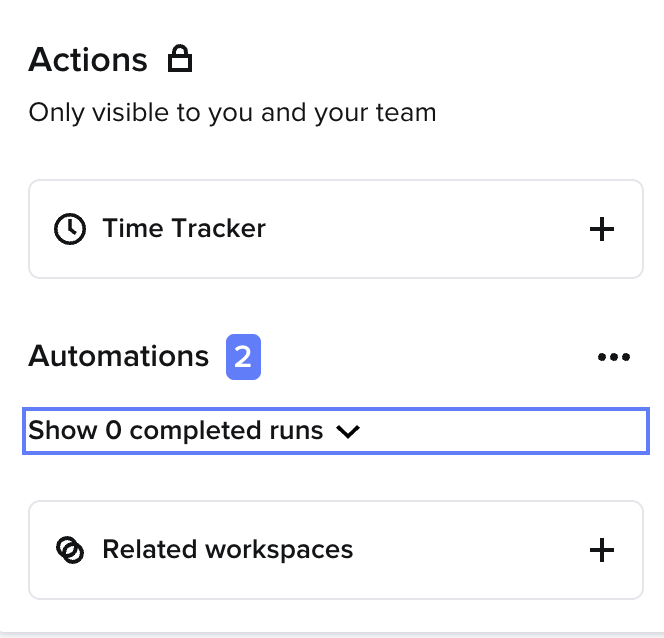
Your "Show -- completed runs" line will have different wording, but click the down arrow to open it and see your completed automations.
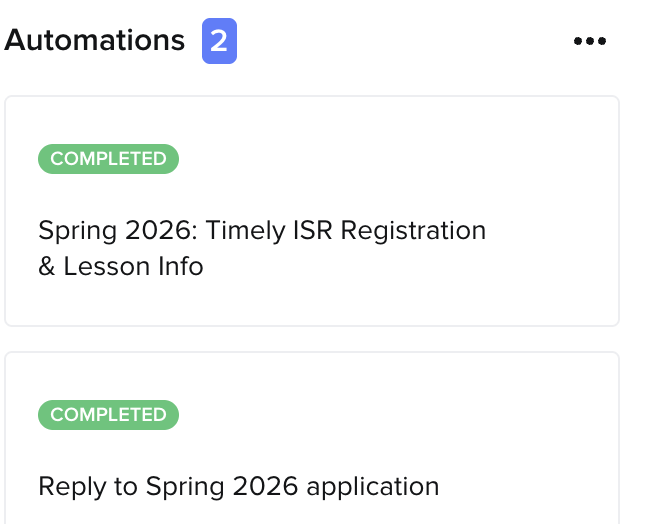
If you click the three dots to the right of "Automations 2 ", you’ll also see a list of those automations. I can't show you that because it contains personal information from my client, Melissa Taugue of SoCalisr. She teaches private swimming classes for infants and toddlers in Los Angeles.
2. Will I get notified when an automation runs?
Not automatically. If you want to be notified, add that step to your automation right after it's been triggered:
Click the + below the automation step you want a notification for
Click "Add Action"
Choose "Create a Task"
Name the Task - (Name of) Automation Triggered
Choose when you get this notification after the previous trigger,
Decide the Due Date for the task. "O days after previous step" will send it to you immediately.
Click "Save" in the top right corner of the page
3. What time will my automations go out?
This answer is actually kind of cool.
If your automation is tied to one of your client's actions, like "Send questionnaire 2 days after contract is signed", Honeybook will send the questionnaire two days later, at the same time that they signed the contract.
If it's tied to a project that is happening at a certain time, like "send a brochure three weeks after project date", and that project started at 9 am, Honeybook will send it three weeks later at 9:00 am.
Without a fixed project time, Honeybook claims that it doesn't have a "Universal" set time, but my experience is that it's between 8:00 am and 9:00 am in your local time zone.
But if the automation is configured to trigger without a wait time, such as in response to an inquiry, Honeybook will send it out right away.
Let me know if you have any questions! Email me at elizabethcoopersmith@gmail.com or schedule a free consult below.
Or, if you’re ready to get help setting up your automations, sign up for an Automation VIP Day (and see what a lead form looks like)
I’ll talk to you soon,
Liz Coopersmith
